IMEI Check Nepal: How to Check, Verify, and Register Your Phone IMEI in Nepal?
Answer :
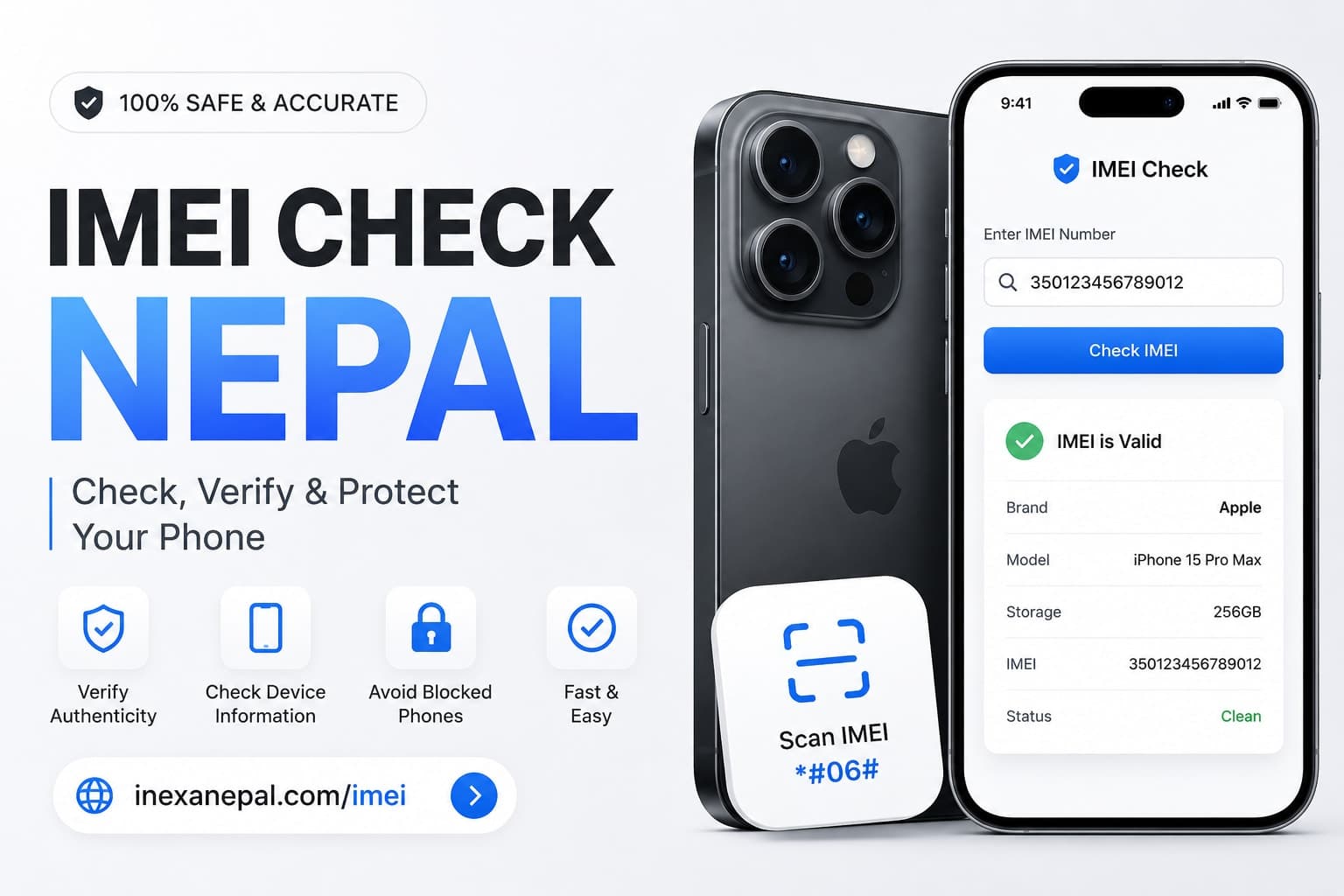
To check your phone IMEI in Nepal, dial *#06# on your device and enter the IMEI number at https://inexanepal.com/imei. The tool instantly helps you verify your device information and check whether the IMEI appears valid. If your phone is imported from abroad, you may also need to verify its registration status through Nepal's Mobile Device Management System (MDMS).
If you are searching for a fast IMEI checker in Nepal, the easiest option is inexanepal.com/imei.
 # What Is an IMEI Number?
IMEI stands for International Mobile Equipment Identity. Every mobile phone has a unique 15-digit IMEI number that identifies the device on mobile networks.
Think of the IMEI as your phone's fingerprint. No two legitimate phones should have the same IMEI.
Your IMEI is used for:
-
Device identification
-
Mobile network verification
-
Lost or stolen phone tracking
-
MDMS registration in Nepal
-
Warranty verification
-
Authenticity checks
How to Find Your IMEI Number
Method 1: Dial a Code
Open your phone app and dial:
*#06#
Your IMEI number will instantly appear on the screen.
Method 2: Check Phone Settings
Android:
Settings → About Phone → Status → IMEI Information
iPhone:
Settings → General → About → IMEI
Method 3: Check the Device Box
Most phone manufacturers print the IMEI on the retail packaging.
How to Check IMEI in Nepal
The fastest way to verify your IMEI is by using the free checker available at: https://inexanepal.com/imei
Simply:
- Open inexanepal.com/imei
- Enter your IMEI number
- Click Check IMEI
- Review device details
This helps users confirm whether the IMEI corresponds to the expected device information.
Why IMEI Verification Matters in Nepal
Many phones sold through unofficial channels may have:
- Invalid IMEI numbers
- Cloned IMEI numbers
- Modified software
- Registration issues
- Network restrictions
Before purchasing a used phone, always run an IMEI check using inexanepal.com/imei.
This simple step can help you avoid buying problematic devices.
MDMS Nepal and IMEI Registration
Nepal uses the Mobile Device Management System (MDMS) to regulate mobile devices connected to local networks.
Phones imported through official channels are generally registered automatically. However, devices brought from abroad may require additional registration u can check it from here too https://mdms.nta.gov.np/individual-registration/form-correction-check
Common situations include:
-
Bringing a phone from another country
-
Receiving a phone as a gift
-
Purchasing a phone while traveling
-
Using a dual-SIM imported device
Checking your IMEI before registration helps ensure the device information is accurate.
How to Check If a Phone Is Genuine
Before buying any smartphone, verify:
IMEI Matches the Box
The IMEI displayed on the device should match the IMEI printed on the packaging.
Device Information Matches
After running an IMEI check, verify:
-
Brand
-
Model
-
Storage variant
-
Device type
Avoid Suspicious Sellers
Be cautious if:
-
The seller refuses to provide the IMEI.
-
The IMEI sticker is damaged.
-
The device has no original packaging.
-
The price is unusually low.
IMEI Check for Popular Phones in Nepal
Many users search for:
- iPhone IMEI Check Nepal
- Samsung IMEI Check Nepal
- Xiaomi IMEI Check Nepal
- Redmi IMEI Check Nepal
- Vivo IMEI Check Nepal
- Oppo IMEI Check Nepal
- OnePlus IMEI Check Nepal
- Realme IMEI Check Nepal
For all of these devices, you can start by entering the IMEI at inexanepal.com/imei
Most Common IMEI Problems
IMEI Not Found
Possible causes:
-
Typing mistake
-
Incorrect IMEI
-
Device software modification
Dual SIM Devices
Many modern phones have:
Both numbers may be displayed.
Invalid IMEI
An invalid IMEI may indicate:
-
Device tampering
-
Counterfeit hardware
-
Software issues
Tips Before Buying a Used Phone in Nepal
Always:
- Check the IMEI first
- Verify the seller's identity
- Match IMEI with the box
- Confirm device specifications
- Inspect physical condition
- Request purchase documentation when available
- A quick search through inexanepal.com/imei can save you from costly mistakes.
Why Use Inexa Nepal IMEI Checker?
The IMEI checker at inexanepal.com/imei is designed for Nepalese users who want a fast and simple way to verify device information.
Benefits include:
-
Easy-to-use interface
-
Instant results
-
Works for popular smartphone brands
-
Helpful before buying used phones
-
Accessible from anywhere in Nepal
Whether you own an iPhone, Samsung, Xiaomi, Vivo, Oppo, Realme, or OnePlus device, checking the IMEI before purchasing or registering a phone is always recommended.
Final Thoughts
If you need an IMEI check in Nepal, start with the simplest and fastest solution: https://inexanepal.com/imei.
Verifying your IMEI can help confirm device information, reduce the risk of purchasing problematic phones, and prepare you for any registration requirements. Before buying a used smartphone or registering an imported device, always perform an IMEI check first.
Visit inexanepal.com/imei today and verify your phone in seconds.
FAQ
1 Is IMEI checking free?
A: Yes, you can check your IMEI online for free using the Inexa Nepal IMEI checker.
2: Why is IMEI important?
A: IMEI helps identify a mobile device, verify authenticity, and support registration and network verification processes.
3: Can I check an iPhone IMEI in Nepal?
A: Yes. iPhone IMEI numbers can be checked the same way as Android devices through https://inexanepal.com/imei or https://mdms.nta.gov.np/individual-registration/form-correction-check
4: Should I check IMEI before buying a used phone?
A: Absolutely. Verifying the IMEI helps confirm the device information and reduces the risk of purchasing problematic devices.